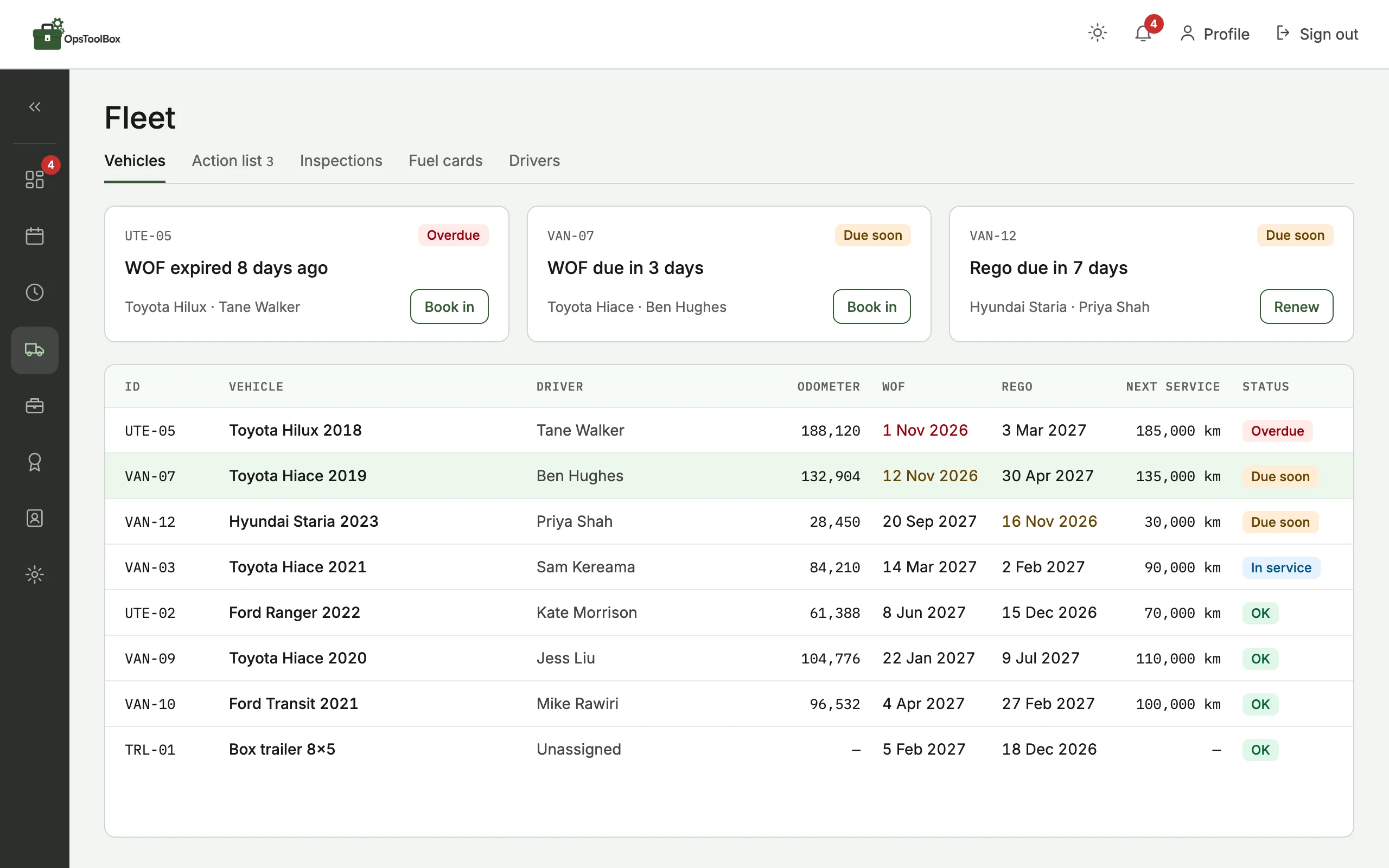
Vehicles
WOF, rego, RUC and servicing for every vehicle, with a reminder before each one falls due. Fuel cards and drivers sit alongside.
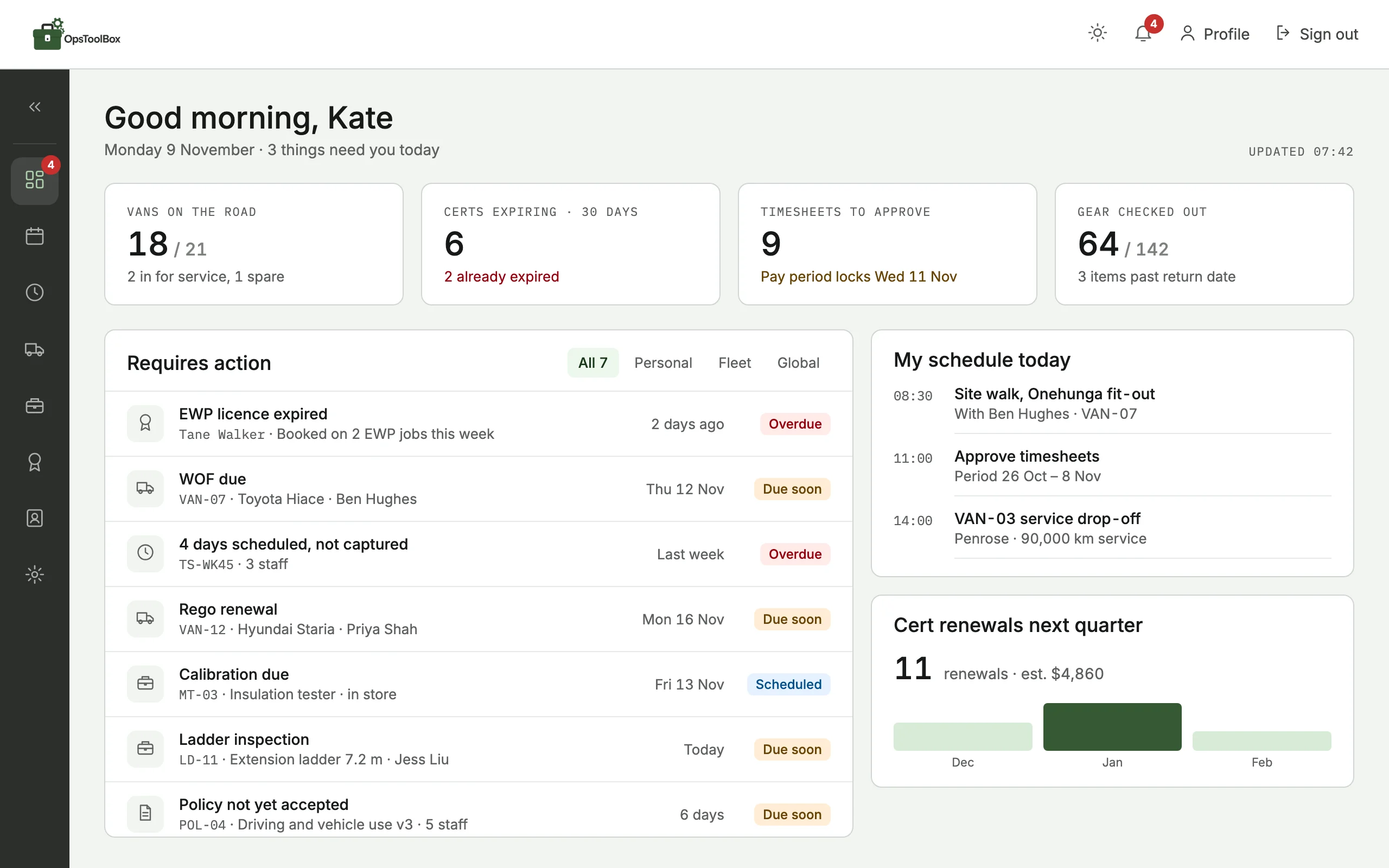
Ops Toolbox replaces the whiteboard and the spreadsheets. Plan who's where, turn the schedule into timesheets, and see what's due on every van, tool, ticket and policy before it catches you out.
The van gets pulled over, and the WOF ran out in March.
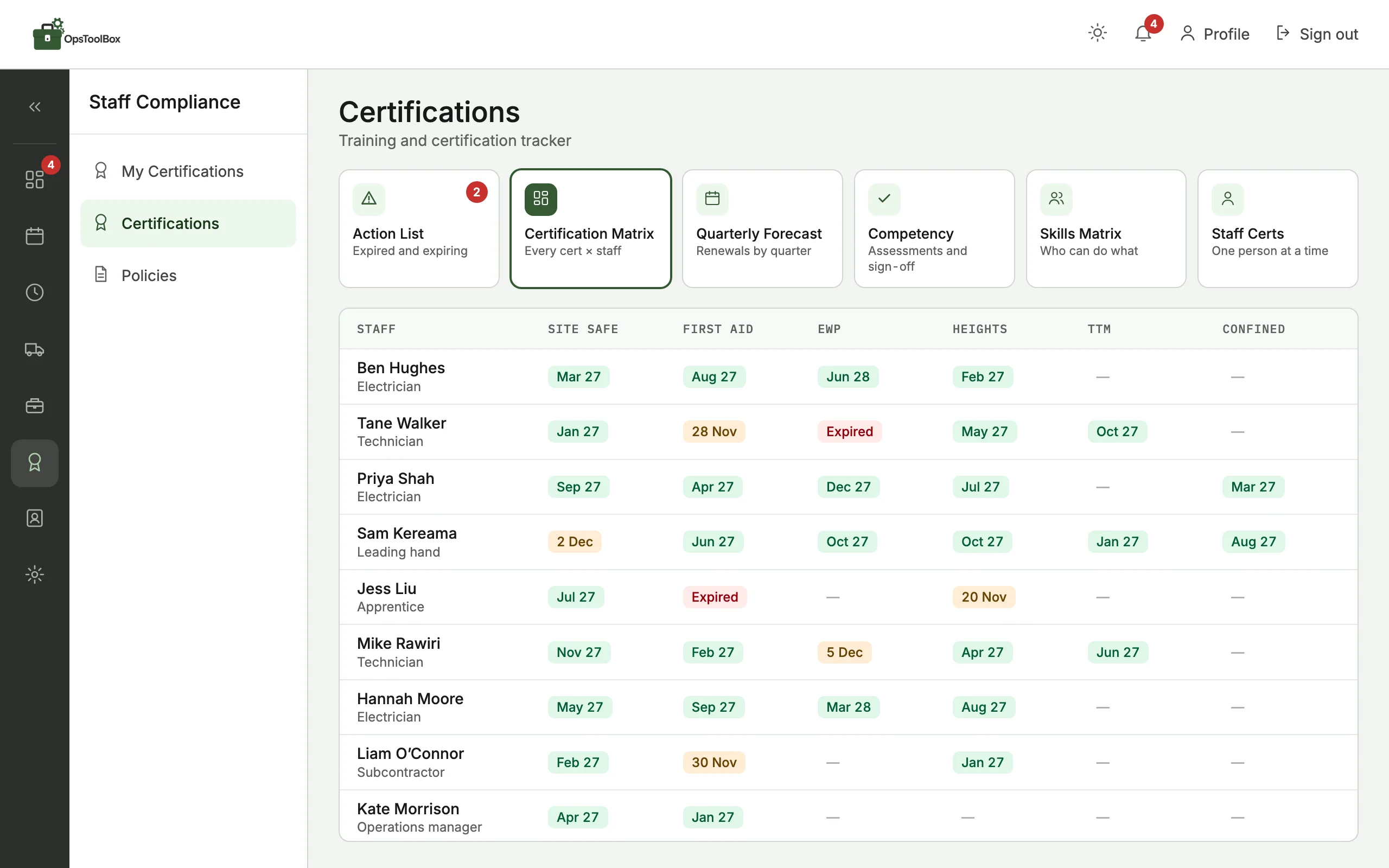
Site induction, 7 am. Your best tech's EWP ticket lapsed three weeks ago.
Monday morning, texting the crew for timesheets so payroll can run.
It all lives in spreadsheets, a whiteboard, someone's inbox and one person's head. When that person is on leave, things slip.
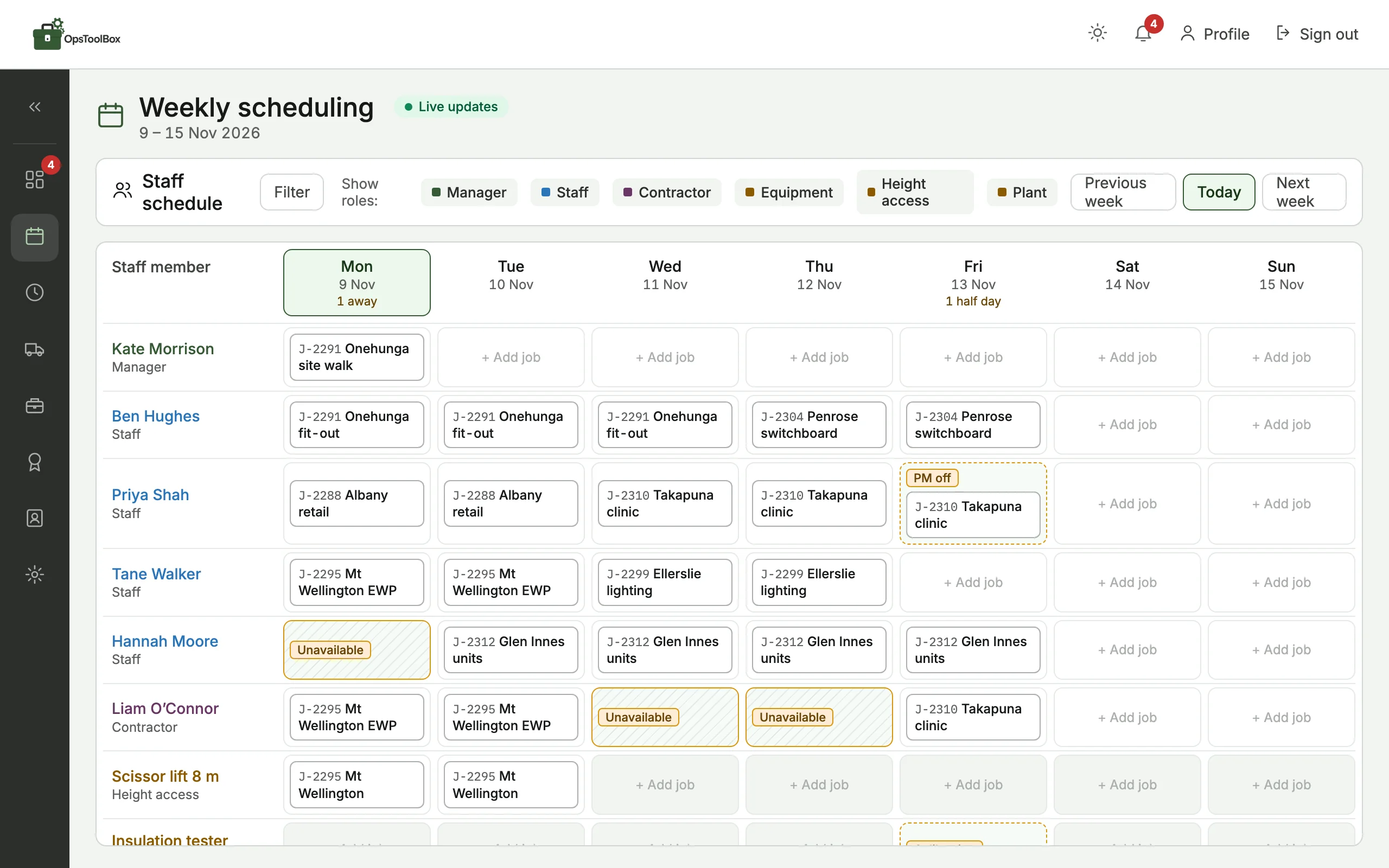
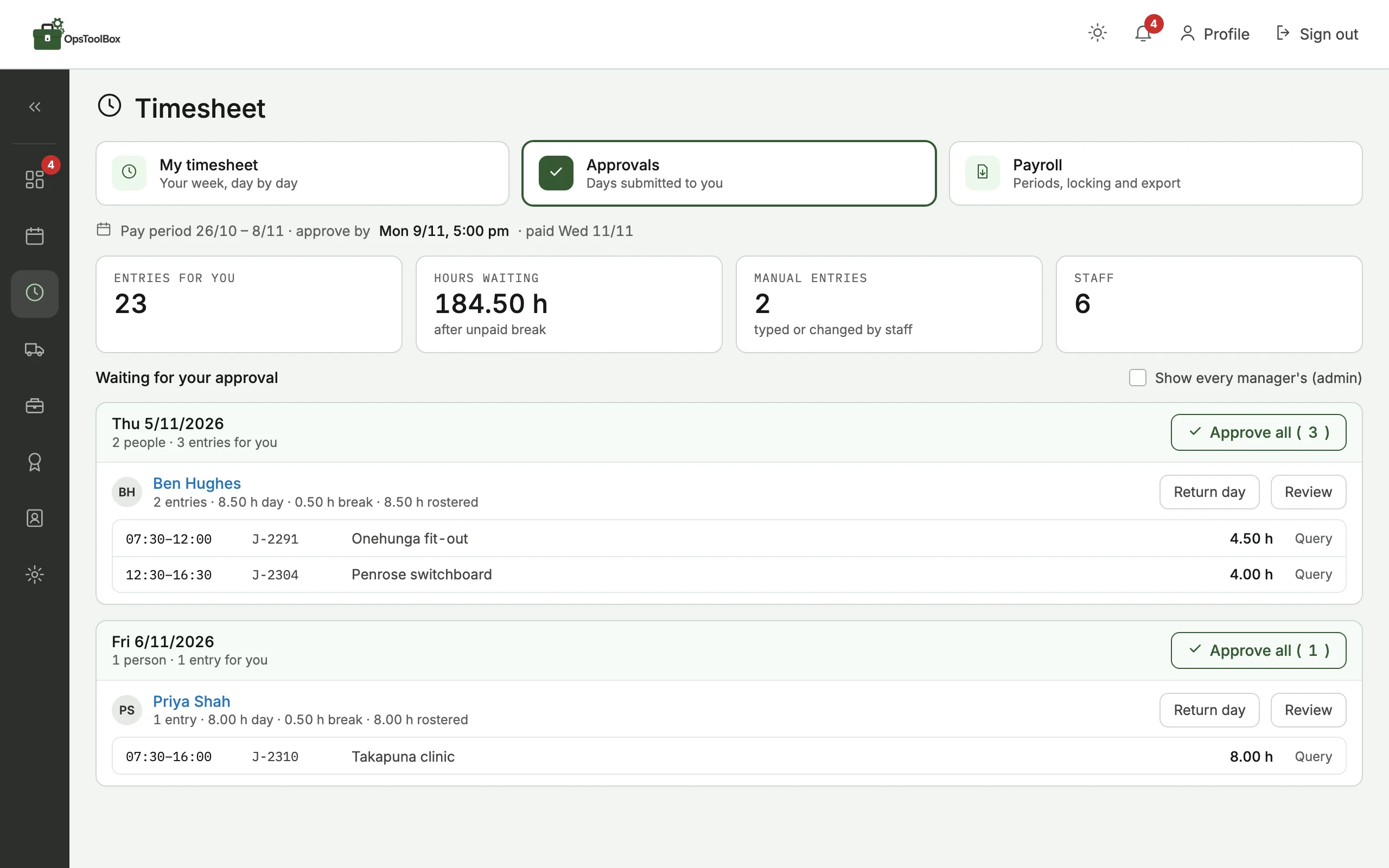
What's on the schedule becomes the timesheet. Staff pull their day across, the manager who ran the job approves it, and payroll gets hours nobody had to chase.
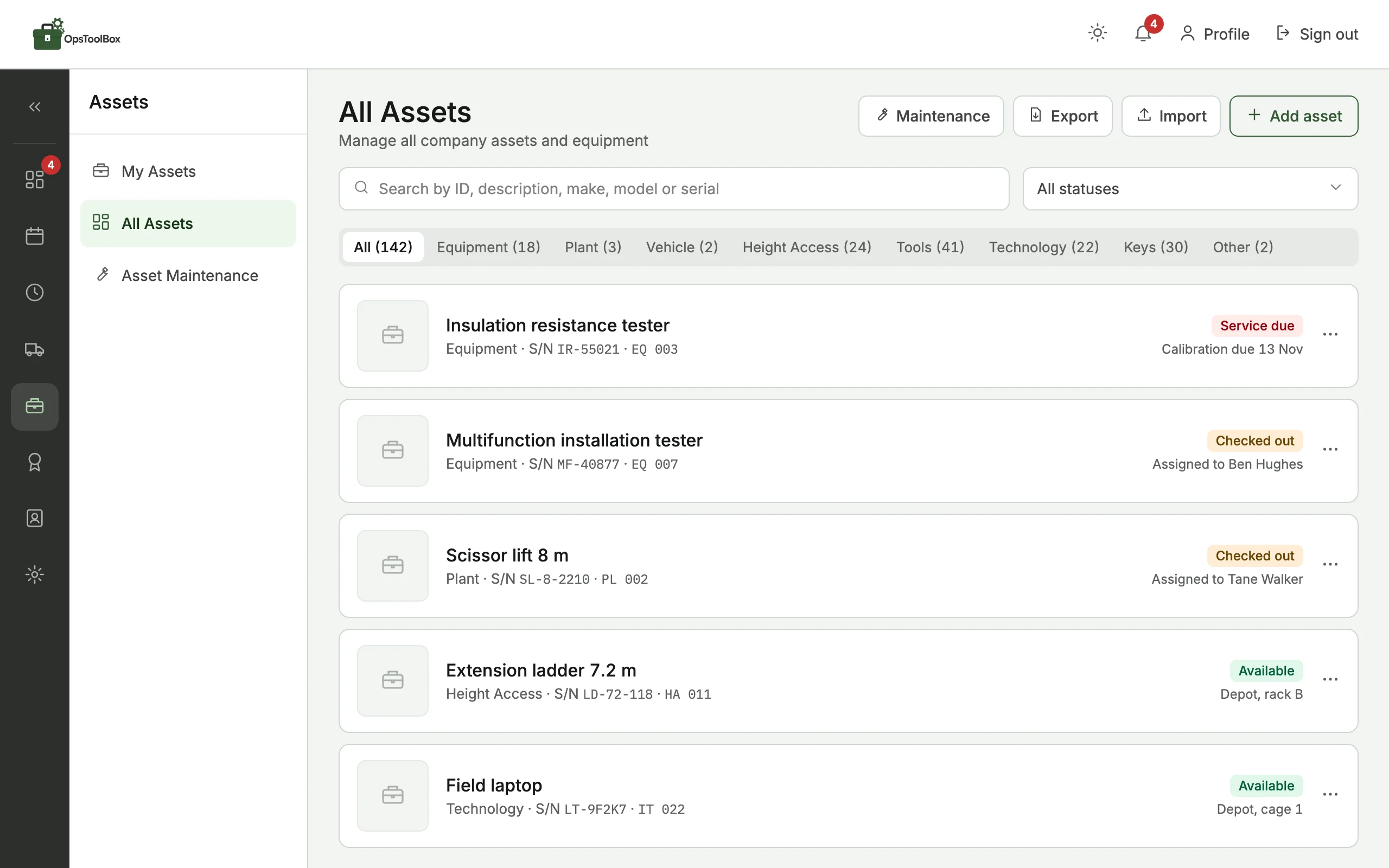
Vans, gear, tickets and policies, each with a due date, a reminder and a name against it.
Drag in the policies you already have. Ops Toolbox writes a plain-English summary of each one, plus an audio version, slides and a short quiz. Staff read or listen on their phone, pass the quiz and accept, and you can see who hasn't.
Ops Toolbox started as the in-house app of a New Zealand field contractor. The office plans the week on it, the crew put their time through it, and every van, tool and ticket is tracked in it. Now it's being opened up to other trade and field service businesses.
So it already speaks NZ: WOF, rego, RUC and fuel cards are built in, and public holidays show on the schedule.
40+ staffscheduled on it every week, with every asset and training record tracked, so nothing gets missed.
“As we grew, the spreadsheets and whiteboards turned into a mess, and my managers and I couldn't easily get the information we needed to run the business. Then I got sick of trying to make corporate apps, built by teams sat in an office, work for our field team.
So we built tools that actually make sense. If the team on site don't find it easy, they won't use it. If the office can't get the information they need, it's just another bit of software that sits under-used.”
 Jordan RitchieDirector
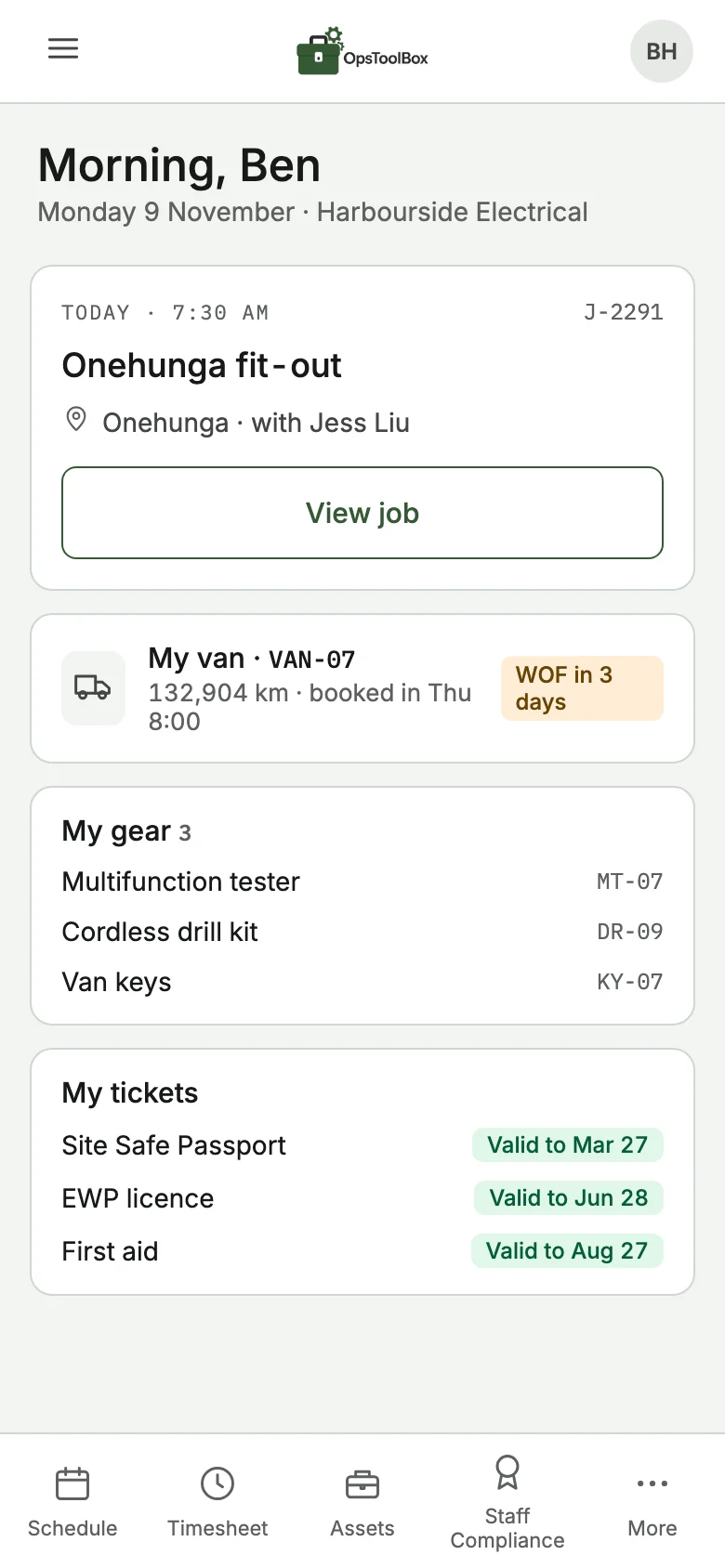
Today's job, their time, their van, their gear, their tickets and their policies. Plain words, big buttons.
Move a job in the office and it's on their phone straight away. Hours entered on site show up in the office just as fast.
Trade and field service businesses in New Zealand with around 10 to 100 staff, running on spreadsheets and whiteboards today, with vans, gear, tickets and policies to keep on top of.
No. It doesn't do quoting, invoicing or job costing. It sits beside your job management software and looks after everything around the jobs: people, schedules, timesheets, vans, gear and compliance.
A setup guide takes you through your logo and timezone. Then import your assets from a CSV of the spreadsheet you already keep, drag in your policies and invite the team. Each person gets the view that fits their role.
Only your company. Each company gets its own private workspace. Inside it there are five roles, from contractor to admin, with permissions you can adjust per person, and you can require multi-factor sign-in for the roles that need it.
You upload the policies you already have; Ops Toolbox doesn't write them. For each one it makes a summary, an audio version, slides and a quiz. Staff work through them on their phone and accept, so you have a record of who has read and understood each policy.
Pricing isn't set yet. We're opening to a small group of founding members first, and they hear pricing and launch dates before anyone else.
Yes. It runs in the browser on any phone, tablet or computer, with push alerts. There's nothing to install from an app store.
We're opening Ops Toolbox to a small group of NZ businesses first. More compliance tools are on the way, and founding members get early access and a say in which come first.